
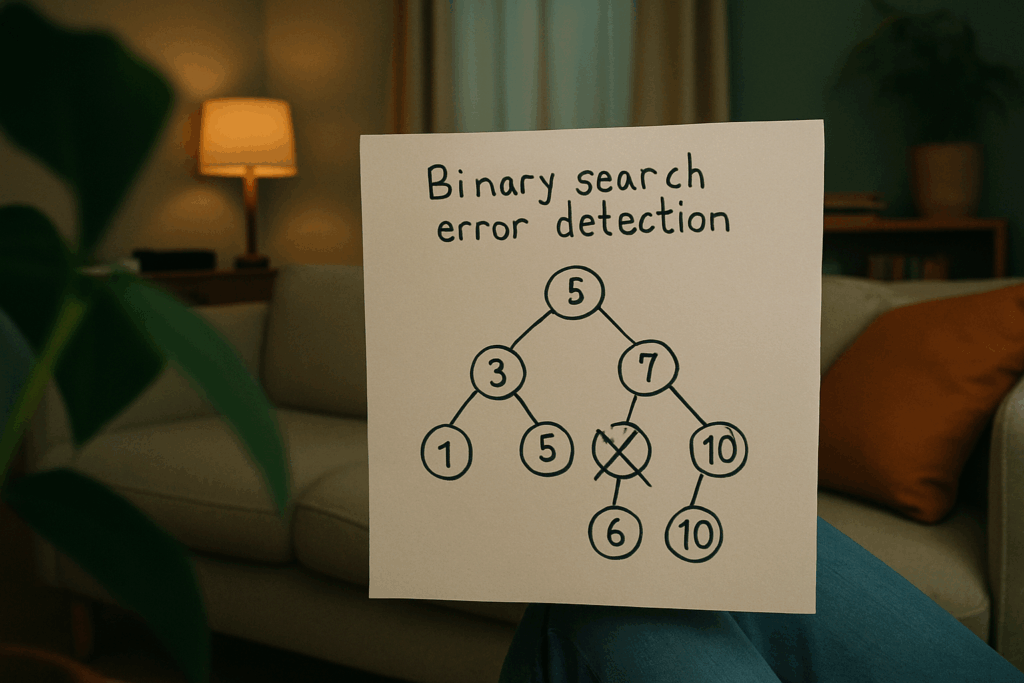
Why Binary Search Isn’t Just for Sorted Arrays
Binary search is one of those simple but powerful ideas that sticks with you once you get it. At the core, it works like this: take a sorted list, look at the middle, and decide which half to ignore. Repeat until you find what you’re after or confirm it’s not there. That’s it. Logarithmic time, low overhead, and ruthless efficiency.
Now, take that mindset and apply it to debugging. Let’s say you know the bug showed up somewhere between Monday and Thursday. Instead of checking every change line by line, use binary search logic: test Wednesday. If it’s broken, go earlier. If it’s fine, skip ahead. Divide. Conquer. Repeat. You just turned four days of commits into two tests.
So why is it so fast? Because it cuts the search space in half every time. Doesn’t matter if it’s 100 commits or 10,000 you’ll land on the culprit in about log₂(n) steps. And unlike guessing or aimless tinkering, it’s dead simple to repeat. Same structure every time, same results. It’s the kind of mechanical precision that fits well in a developer’s toolkit.
Spotting the Right Use Cases
Binary search isn’t a silver bullet but it’s damn close when your codebase is sprawling and the bug isn’t playing nice. If your project’s grown past the point where you can just scroll through files and spot the issue, it’s time to think smarter, not harder. Binary search shines when you’re lost in thousands of commits and something is subtly, persistently off.
Some bugs scream; others whisper. The ones that show up intermittently, only after a specific set of commits or in oddly specific environments those are prime suspects for binary search. You’re not going to catch them by scrolling or guessing. You need a methodical approach that narrows the haystack fast.
Version control is critical here. If your repo’s tracked in Git and you can reproduce the issue with some consistency, you’re in business. Now you’ve got a timeline, a tool, and a reason to cut the guesswork. Ideal conditions: known good and bad states, a reproducible trigger, and the will to chase it down with precision. When those stars align, binary search stops being a theory lesson and becomes your sharpest debugging weapon.
Hands On: How to Debug Using git bisect

Think of git bisect as your sniper scope when hunting down the exact commit that broke your code. It’s not flashy, but it gets the job done fast.
Start by finding two points: a known good commit where everything worked, and a bad one where it clearly doesn’t. This gives git bisect the range it needs to run a binary search across your repo’s history.
Here’s the flow:
- Run
git bisect start - Mark the current commit (assuming it’s broken) with
git bisect bad - Mark your known good commit with
git bisect good <commit hash>
Now Git automatically checks out the halfway point. From there, test manually or with a script. Is the bug still there? If yes, run git bisect bad. If not, say git bisect good. Git narrows the search.
With each pass, you mark good or bad like a laser tagging targets. After a few rounds, you land on the exact commit that caused the glitch. Clean, surgical, and no guesswork.
For more tricks on optimizing the process (like scripting automated tests or narrowing the scope of your check), dive into this guide on binary search tactics.
Tips to Speed Things Up
Using binary search to isolate bugs is fast but it can be even faster with the right tactics. Here’s how to multiply your efficiency and zero in on the problem faster than traditional debugging methods allow.
Automate Your Test Cases
Manually verifying each commit in a binary search can slow you down and introduce human error. Instead:
Write test cases that confirm whether a bug is present or not.
Use these test cases as automated scripts in your bisect process.
Let the tool (like git bisect) execute and verify each state for you.
Result: You eliminate guesswork, reduce context switching, and stay focused on the root cause.
Look Beyond Commits: Logs and Key Variables
You don’t always need to bisect commits alone. In many complex systems, the bug might not be tied directly to code versions but to runtime behavior or config states.
Here’s how to expand binary search principles:
Logs: Search through time stamped logs to find the exact point where something broke.
Variables: Narrow down the exact value ranges or states that cause failure.
Feature toggles: Use them to isolate behavioral differences without changing deployments.
This approach applies the binary search mindset across multiple layers of your stack.
Narrow Your Scope Early
One of the biggest traps in debugging is thinking you need to check everything. Binary search works best when you point it in the right direction early.
To stay efficient:
Start with a high confidence window between two commits or states.
Eliminate unrelated sections of the system quickly.
Don’t over scan let your data narrow the problem space.
Keep it lean: Binary search doesn’t need the whole picture just the ends and a way to test the middle.
With automation, smart instrumentation, and a focused mindset, binary search for debugging becomes more than a niche tool it becomes your go to problem solver.
Real World Example: Fixing a Heisenbug with Bisect
Even the sharpest developers run into elusive, hard to reproduce bugs. Here’s a look at how binary search specifically through git bisect helped isolate one such issue fast and clean.
What Went Wrong
A mysterious bug cropped up in production: a UI feature stopped working under specific, unpredictable conditions. Local tests passed. Staging looked fine. But customers were still reporting broken behavior.
The bug didn’t appear in every environment
No obvious error messages or stack traces
Logs offered inconsistent clues
This kind of bug is often referred to as a “Heisenbug” a bug that seems to disappear or alter its behavior when you try to examine it.
Why It Slipped Through
The issue snuck in during a large refactor involving multiple merged branches. Since no single commit stood out as suspicious, the team had dozens of potential causes to sift through.
Manual code scans were too slow and inconclusive
No one could say exactly when the feature broke
Some commits had unrelated formatting or dependency updates, further muddying the waters
How git bisect Nailed It
Instead of guessing, the team used git bisect to home in on the exact breaking commit. They:
Identified a known working commit from two weeks prior
Marked the current broken version
Iteratively tested halfway points
Within just 7 iterations (from 128 commits), they found the culprit: a single line of event handling logic altered during a DOM update. It wasn’t caught earlier because no automated tests covered the edge case.
Binary Search vs Traditional Debugging
Compared to manual debugging:
Time saved: what could’ve taken hours or days was done in under 30 minutes
Certainty: no backtracking or second guessing just a scientific elimination of suspects
Scalability: works just as well on codebases with thousands of commits
Lessons Learned
This encounter highlighted several key insights:
Add regression tests after fixing to prevent reappearances
Use git bisect as a go to tool for weird bugs and large commit histories
Don’t rely purely on gut instinct let the process guide you
Binary search isn’t just for algorithms it’s a debugging power tool every dev should master.
Recap and Tactical Advantages
Every dev hits that moment: something’s broken, and it’s buried in a sea of commits, config tweaks, or half remembered refactors. That’s where binary search comes in quietly lethal, fiercely efficient. It’s the kind of tool that saves hours without making noise about it.
Why should it live in your toolkit? Because it’s fast. You’re not clawing through logs or guessing. You’re executing a systematic, divide and conquer protocol that practically hunts bugs on its own. Repeatable? Absolutely. The steps don’t change. Define the broken state, define the clean state, and slice the difference. It scales too works on small scripts, monoliths, or legacy jungles that haven’t seen a refactor since 2015.
Smart debugging means less guesswork, more signal, and zero heroics. Build muscle memory around binary search now, and future you will thank current you every time a nasty bug goes down in record time.
More sharp takes in our guide on binary search tactics.

